

VIDEO GUIDE
Machine Introduction
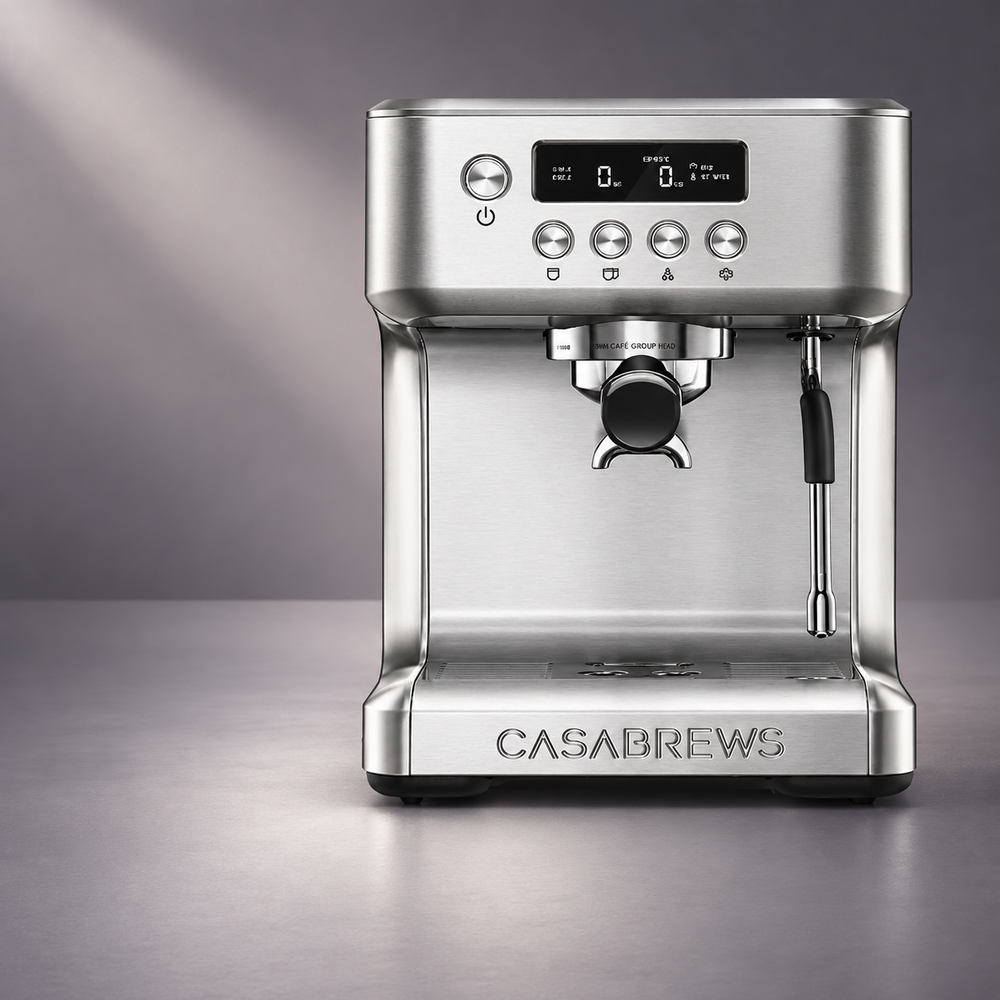
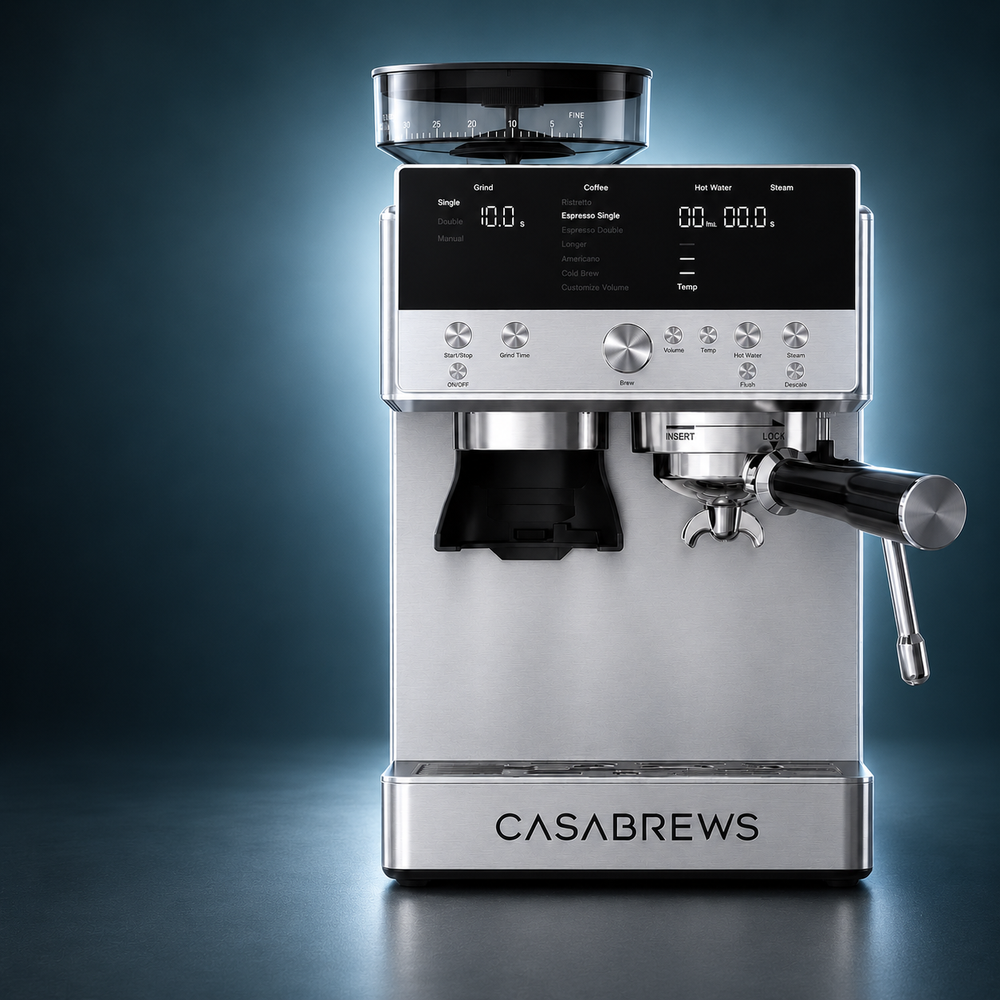
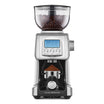
Get to know your ULTRA, including its key features, controls, and everyday functions.

Your videos, guides, FAQs, and support—all in one place.
WATCH & LEARN
Step-by-step guidance for setup, brewing, cleaning, and everyday use.
VIDEO GUIDE
Get to know your ULTRA, including its key features, controls, and everyday functions.
VIDEO GUIDE
Follow the essential steps to set up your ULTRA and prepare it for your first brew.
VIDEO GUIDE
Learn how to dial in your grind, dose, and extraction for a balanced espresso with your ULTRA.
VIDEO GUIDE
Learn how to improve your espresso extraction and use the steam wand to create smooth, well-textured milk.
VIDEO GUIDE
Learn how to clean and maintain your ULTRA to support reliable performance and consistently great coffee.
VIDEO GUIDE
Learn what the flashing hot water icon means and how to resolve it.
VIDEO GUIDE
Learn what can cause water to leak from the brew head and how to resolve it.
VIDEO GUIDE
Identify common causes of water leakage and follow the recommended steps to resolve the issue.
VIDEO GUIDE
Learn what common system error codes mean and how to resolve them.
VIDEO GUIDE
Learn what can cause inconsistent coffee volume and how to restore more consistent extraction.
GETTING STARTED
Helpful answers for setup, espresso extraction, and milk frothing.
Remove all packaging materials and the red rubber plug from the bottom of the water tank. Wash the water tank, portafilter, and filter baskets with warm water and mild dish soap, then rinse and dry them thoroughly.
Fill the tank with fresh, cold tap water and install it securely. Turn on the machine and wait until all four function buttons remain illuminated. Without adding coffee, run hot water through the steam wand for 30 seconds, then run a two-cup cycle through the group head. Repeat both steps twice before brewing your first espresso.
Use a single-wall filter basket with freshly ground whole coffee beans. It gives you more control over grind size, dose, and extraction.
Use a dual-wall filter basket with pre-ground coffee or when you want a more forgiving extraction.
As a starting point, use approximately 13–15 g of coffee in the one-cup basket or 19–21 g in the two-cup basket. After tamping, the coffee should not exceed the MAX line. Wipe any loose grounds from the rim before locking the portafilter into the group head.
Espresso that flows too quickly, looks pale, or has little crema is usually under-extracted. Try a finer grind, slightly increase the coffee dose, and make sure the coffee is tamped evenly.
Espresso that only drips, flows very slowly, or tastes overly bitter is usually over-extracted. Try a coarser grind, slightly reduce the dose, and avoid tamping too firmly.
Use fresh coffee beans whenever possible. Different beans require different grind settings, so adjust one variable at a time. The pressure gauge is a helpful reference, but flow, flavor, and crema are better indicators of a balanced extraction.
Allow the machine to finish preheating before brewing. For better temperature stability, run one brewing cycle without coffee to preheat the group head, portafilter, and cup.
You can also adjust the shot temperature. Press and hold the Hot Water button for 5 seconds, then select:
• One Cup: 90°C / 194°F
• Two Cup: 92°C / 197°F
• Hot Water: 94°C / 201°F
• Steam: 96°C / 204°F
Press the Power button to save the setting. The temperature selected is the brewing temperature inside the machine, so the temperature measured in the cup will naturally be lower.
Press and hold the One Cup or Two Cup button for 5 seconds to enter volume programming mode. Press the same button again to begin brewing, then press it once more when the desired amount has been reached. The machine will beep to confirm the new setting.
The adjustable range is 20–125 ml for the One Cup button and 20–250 ml for the Two Cup button. A setting outside these ranges will not be saved.
To restore both buttons to their factory settings, press and hold the One Cup and Two Cup buttons together for 5 seconds. The buttons will flash three times and the machine will beep three times.
Use cold milk and a cold milk pitcher. Press the Steam button once and wait until the Hot Water and Steam buttons remain illuminated. Briefly purge the steam wand before placing it in the milk.
Keep the steam tip just below the milk surface at first to introduce air, then lower it slightly to create a steady whirlpool. Stop steaming before removing the pitcher, wipe the wand immediately, and purge it again to remove any remaining milk.
To exit Steam mode, press the Hot Water button once or press and hold the Steam button for 5 seconds. The machine may pump water and release steam into the drip tray while cooling back to espresso temperature. This is normal.
SOLVE A PROBLEM
Quick solutions for the most common product issues.
A small amount of water or steam entering the drip tray when the machine is cooling down after Steam mode is normal. The ULTRA automatically pumps water and releases steam into the drip tray as it returns to espresso temperature.
If water continues to collect underneath the machine when it is not brewing, steaming, or releasing pressure, stop using the machine and contact CASABREWS Customer Support with a photo or video of the leak.
Make sure the water tank contains enough water and is fully installed. Press the Steam button once and wait until both the Hot Water and Steam buttons remain illuminated before starting.
If steam remains weak, allow the machine to cool and inspect the steam nozzle. Dried milk can block the opening. Wipe the wand, purge it briefly, and use the supplied cleaning needle to clear the nozzle hole.
If necessary, unscrew the cooled nozzle, soak it in hot water, clean the opening, and reinstall it securely. Run a descaling cycle if mineral buildup may be restricting the steam system. If there is still no steam, contact Customer Support.
The coffee may be ground too finely, the basket may be overfilled, or the coffee may be tamped too firmly. Try a slightly coarser grind, reduce the dose, and keep the tamping pressure even. The coffee should not exceed the MAX line after tamping.
Remove and clean the filter basket if its holes are blocked. Also make sure the water tank is filled and fully installed.
To check whether the machine is supplying water normally, remove the portafilter and run a brewing cycle. If no water flows from the group head, follow the water-flow checks below or contact Customer Support.
A fast, pale extraction with little crema is usually caused by coffee that is too coarsely ground, an insufficient dose, an uneven or light tamp, or coffee beans that are no longer fresh.
Use freshly ground coffee, select a finer grind, slightly increase the dose, and tamp the coffee evenly. For best results, use a single-wall basket with freshly ground beans. If using pre-ground coffee, try the appropriate dual-wall basket.
Adjust only one variable at a time. Judge the extraction by its flow, flavor, and crema rather than trying to reach a specific pressure-gauge position alone.
Turn off the machine and allow it to cool before checking the portafilter. Remove any coffee grounds from the rim of the filter basket and wipe the sealing surface of the group head clean.
Make sure the basket is not overfilled and that the coffee remains below the MAX line after tamping. Reinsert the portafilter and rotate it firmly until resistance is felt. Do not remove the portafilter while the machine is brewing or still pressurized.
If leaking continues after the basket and sealing surfaces have been cleaned, or if the group-head seal appears damaged, stop using the machine and contact Customer Support.
The flashing Hot Water button and icon indicate that the machine has detected insufficient water.
Fill the water tank with fresh, cold water and push it down completely into position. Then press the Hot Water button to help the machine restore water flow and return to standby mode.
Before first use, also confirm that the red rubber plug has been removed from the bottom of the water tank. If the warning continues with a full and correctly installed tank, turn the machine off, unplug it, and allow it to cool before restarting. Contact Customer Support if the warning remains.
CARE & SERVICE
Cleaning, maintenance, parts, warranty, and service information.
Descale the machine when the descale alert flashes on the LCD. The timing depends on how frequently the machine is used and the mineral content of your water, rather than a fixed number of days.
Mineral buildup can restrict water flow, reduce steam performance, affect brewing temperature, and cause inconsistent extraction. Use a descaling solution intended for espresso machines and follow the complete descaling procedure in the User Manual or Descaling Video Guide.
Turn off the machine and allow it to cool for at least one hour. Empty the drip tray, fill the water tank to the MAX line with the prepared descaling solution, and place a large container under both the group head and steam wand.
Press and hold the One Cup and Hot Water buttons together for 5 seconds to enter Descale mode. Press the Hot Water button to begin and follow the LCD sequence through the descaling and fresh-water flushing stages.
Once the cycle begins, do not turn off or unplug the machine. The complete process takes approximately 20 minutes and finishes when the LCD reaches 08 and the machine returns to standby mode.
It is normal for all LCD icons, including the descale icon, to appear briefly when the machine is turned on. This is part of the startup display check. If the icon disappears after a moment, no action is required.
If the descale icon remains on or flashes during normal operation, complete the entire descaling and rinsing cycle. Do not interrupt the process before the machine returns to standby mode. If the alert remains after a complete cycle, contact CASABREWS Customer Support.
Clean the steam wand immediately after every use. Wipe it with a damp cloth, then point it toward the drip tray and run hot water for a few seconds to clear any remaining milk.
If the nozzle becomes blocked, turn off the machine and allow it to cool completely. Use the supplied cleaning needle to clear the nozzle opening. If necessary, unscrew the cooled nozzle, soak it in hot water, clean it again, and reinstall it securely.
Never leave dried milk on or inside the steam wand, as it can reduce steam pressure and affect milk texture.
After each use, remove the coffee puck and rinse the filter basket and portafilter under hot water. Wipe the inside of the group head and shower screen with a damp cloth to remove coffee grounds.
Periodically insert an empty filter basket and portafilter, then run a short Two Cup cycle to flush coffee residue from the brewing system.
If the basket holes are blocked, use the supplied cleaning needle. For stubborn buildup, soak the basket and portafilter in hot water for approximately 20 minutes, then rinse thoroughly. Wash all removable parts by hand with warm water and mild dish soap. Do not place them in a dishwasher.
Stop using the machine and contact CASABREWS Customer Support if you notice continued leaking onto the countertop, a cracked water tank, damaged electrical components, a broken group-head seal, persistent error messages, no heating, or no water or steam after completing the recommended cleaning and troubleshooting steps.
Please provide your order number, purchase date, machine model, a clear description of the problem, and photos or a short video showing the issue. This information will help the support team identify the problem and provide a faster solution.
RESOURCES
Download manuals, quick start guides, recipes, and other product resources.

INSTRUCTION MANUAL
Complete instructions for setup, operation, safety, cleaning, maintenance, and troubleshooting.

QUICK START GUIDE
Follow the essential steps to set up your ULTRA and prepare it for your first brew.

RECIPE GUIDE
Explore more than 40 coffee recipes to make and enjoy at home.
WE’RE HERE TO HELP
Contact the CASABREWS support team for additional assistance.
CUSTOMER SUPPORT
Still need help? Our support team can assist with product questions, troubleshooting, warranty service, and replacement parts.